Learn something new. Play your media. Organise your assets.

Apps for youreveryday discoveries.

Learn Arabic together, play your personal media or organise creative assets. Explore Zynx apps for Apple devices, with clear release information, practical help and ways to get started.

Arabic learning for English speakers

Learn Arabic Together

Explore Arabic letters, numbers and everyday words together. A colourful learning experience for iPad and Apple TV, with English controls and spoken Arabic.

The current App Store release is for Apple TV.

iOS offline media player and sharing app

A mode forevery part of your day.

Lecture recordings. Voice memos. Family videos. Transcribe, summarise and clip them on your device, give each collection its own artwork and backgrounds, and share what you choose.

Zynx Labs · Private beta for Mac

Organise photos, video and audio with Pxl Pool.

Browse visually. Tag your assets. Find your next idea.

Creative assets scattered across folders? Pxl Pool is a digital asset manager for macOS that brings images, video and audio into one visual library. Browse your collection, preview media and use tags, image keywords and saved Views to find assets for your next project.

Browse a visual mosaic with larger previews and media playback
Return to saved Views and search image keywords
Keep your library on your Mac or an external drive

Invitation-only private beta. Access requests are reviewed manually.

Media player or digital asset manager: which do you need?

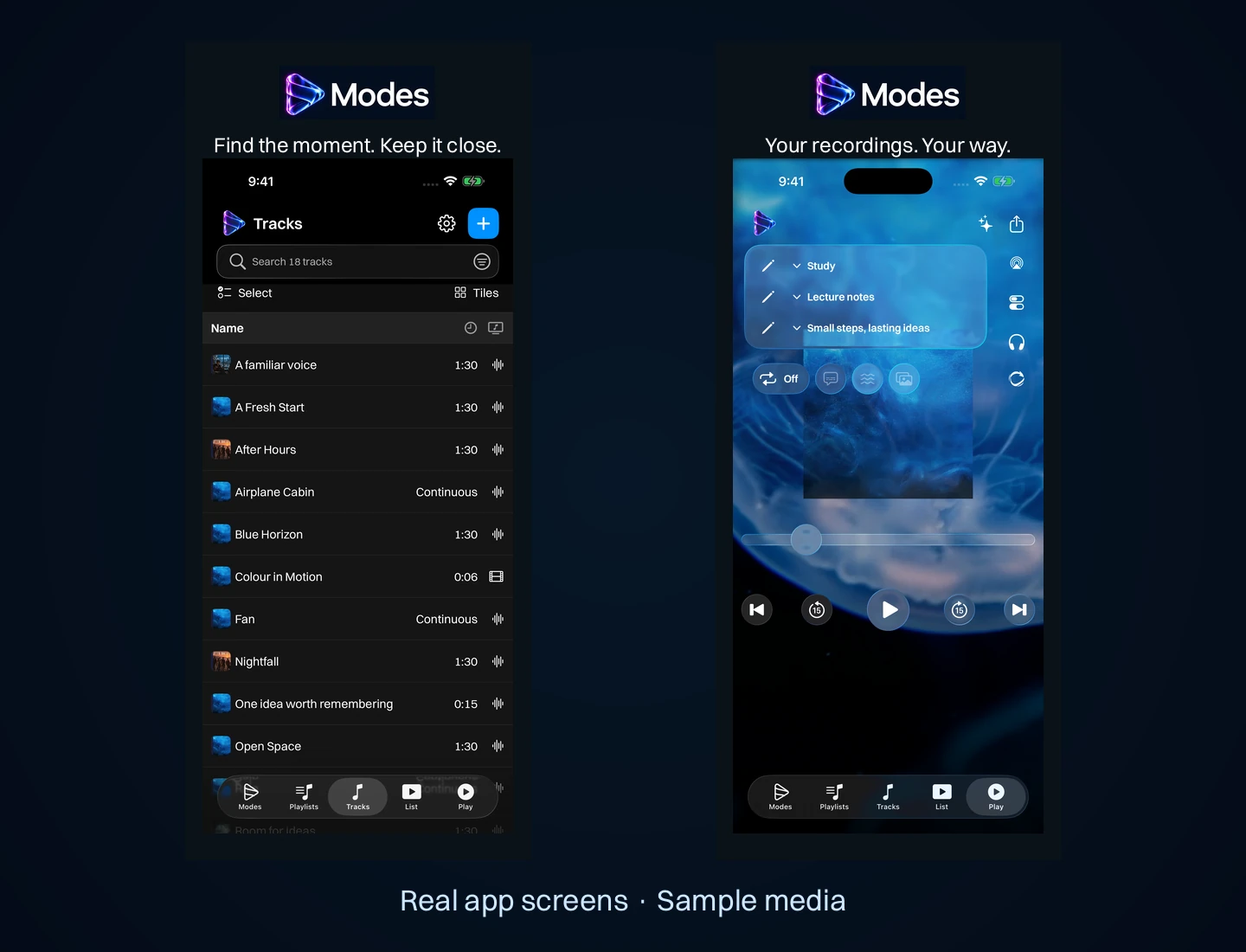
The Tracks page beside the player with artwork over an animated background, on iPhone.
Real app screens with illustrative sample media.

A media player helps you listen to and watch files in the order you want. A digital asset manager helps you browse, describe and find files across a larger collection. Start with the job you need to do: play a prepared playlist, or locate an image, clip or audio asset for a project.

For personal audio and video playlists on iPhone and iPad, explore Modes Media Player. For a visual library of images, video and audio on Mac, see the Pxl Pool private beta.

How should you organise a personal media library?

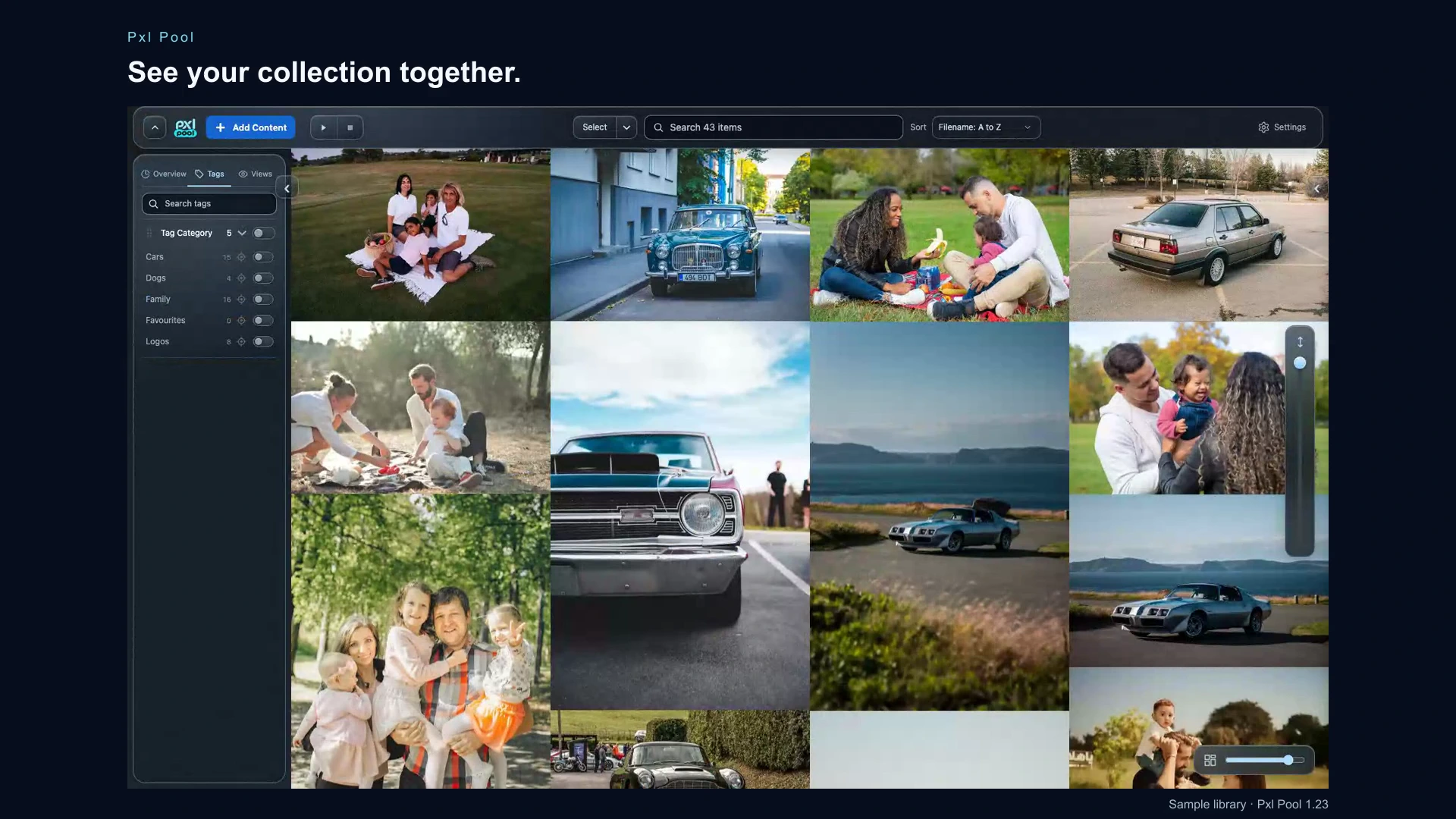
Pxl Pool showing a sample photo library with family and car images beside its tags sidebar.
A sample library in the Pxl Pool private beta.

Group files around how you use them. A playlist can hold recordings for study or audio for a workout. A saved View can bring together matching references for one creative project, while tags describe subjects or styles you want to find across projects. Clear names and a few consistent tags are easier to maintain than a complicated filing system.

Keep a separate backup of important original files. Before moving a collection to another device or app, check its import and export options, available storage and supported file types. Organisation and playback features differ between products.

Check compatibility, availability and support before downloading.

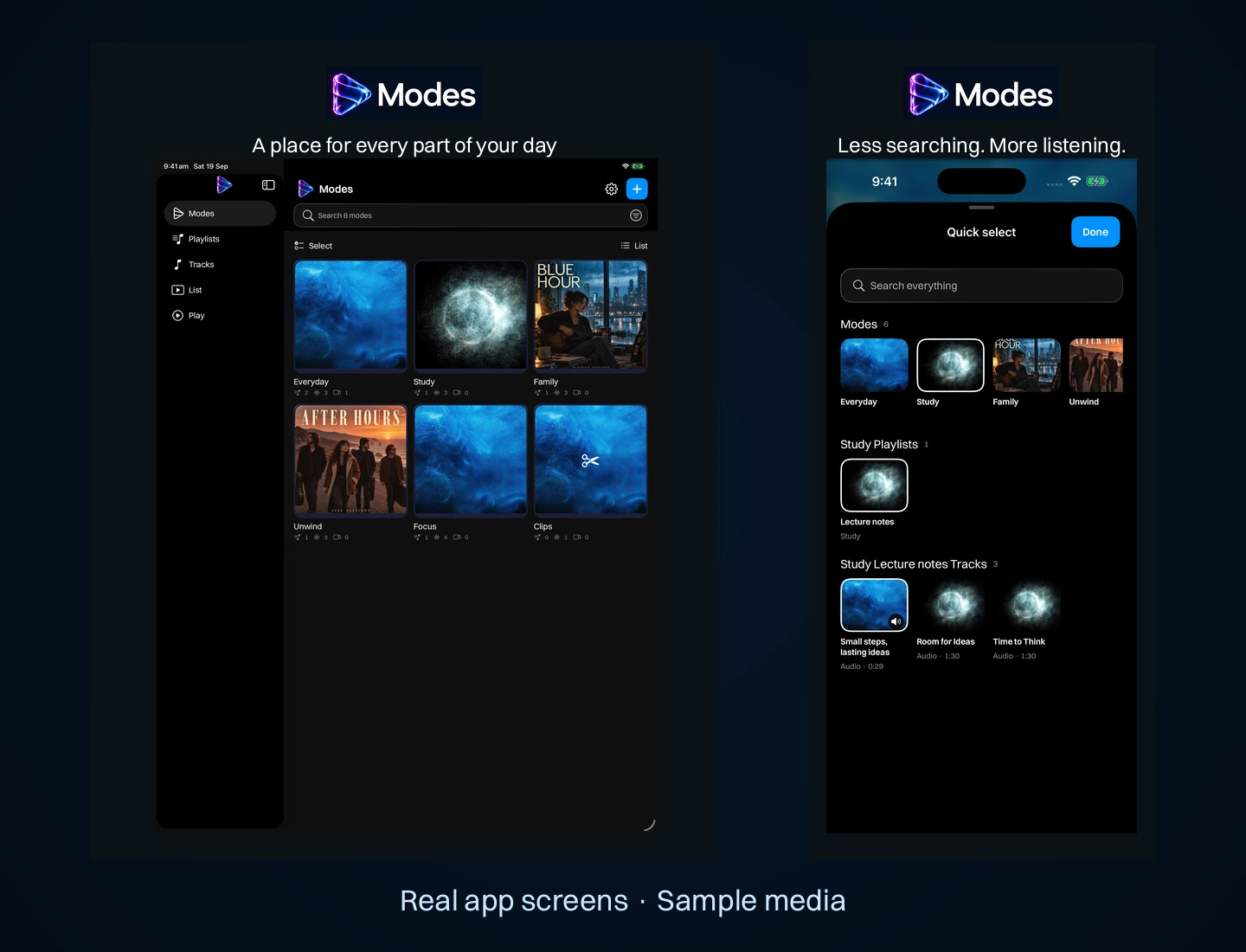
The Modes grid on iPad beside Quick select on iPhone in Modes Media Player.
Real app screens with illustrative sample media.

Modes Media Player is available through the App Store for iPhone and iPad. Its product page explains compatibility, importing files and playback. Pxl Pool is a separate Mac app in invitation-only private beta; access requests are reviewed manually.

Use the Zynx support hub for help with an app. Include your device, app version and what you were trying to do. For product-specific data handling, read the Modes Media Player privacy policy.

What should Zynx build next?

Tell us about a task you wish an app handled better. Ideas go straight to the people who design and build our apps.
Security checkComplete the check before sending.

Product support and feedback

Need help with a Zynx app?

Find product help, report a problem or suggest an improvement. Tell us which app and device you use so we can understand your question.